Mac Explorer vs ForkLift — Explorer workflow or a transfer powerhouse?
ForkLift pairs dual-pane browsing with advanced synchronization and transfer queues. Mac Explorer keeps a focused Windows-style workflow with an embedded terminal and Git, while also including 140+ sources in the standard price.
Mac Explorer combines fast navigation, an embedded terminal, Git context, live RegExp filtering, and custom actions in one clear pane. Its terminal follows the current folder, Git appears inside repositories, and scripts can be pinned to the toolbar or context menu. The entire experience follows the interaction model of Windows File Explorer.
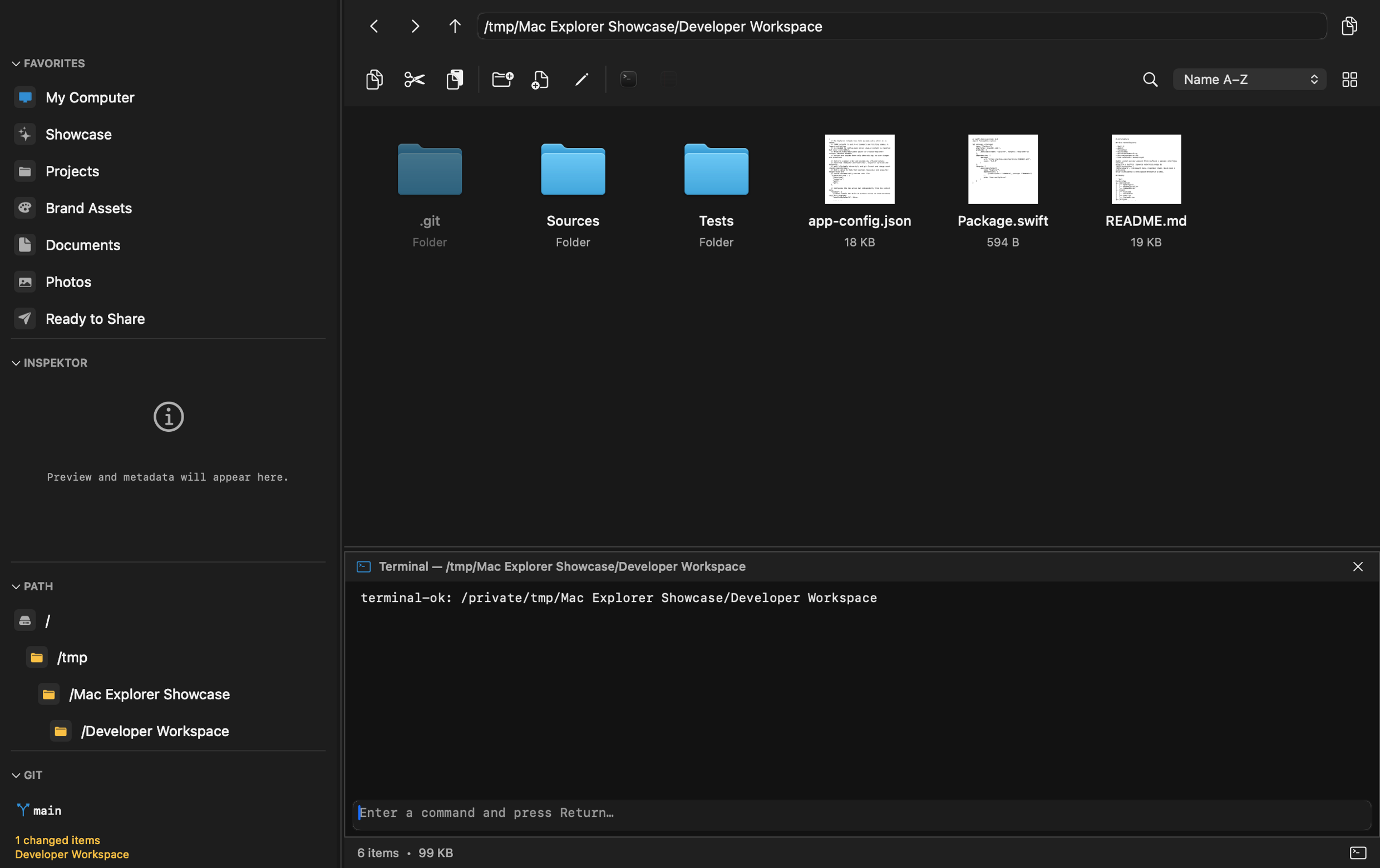
ForkLift is one of the most capable file managers and transfer clients for macOS. Dual-pane browsing, extensive remote connections, synchronization, and a transfer queue make it a serious tool for working across many locations. It is a broader product built around transfers; Mac Explorer takes a more focused approach to the same destinations through a focused, single-pane Explorer workflow.
Where ForkLift has the advantage
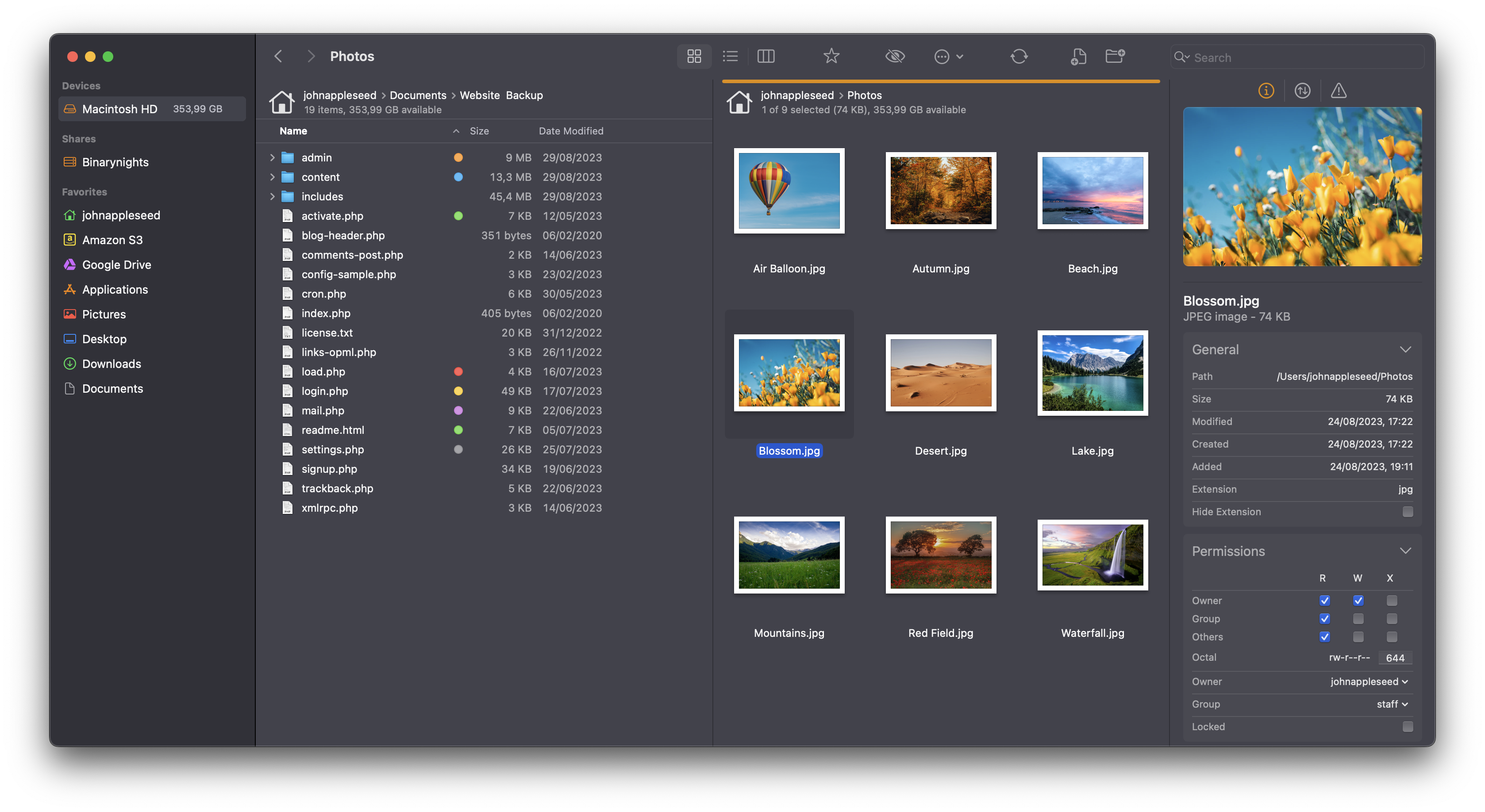
ForkLift combines a file manager with a professional transfer client. It supports SFTP, FTP, WebDAV, Amazon S3, Backblaze B2, Google Drive, OneDrive, Dropbox, Rackspace Cloudfiles, SMB, AFP, and NFS. You can open several servers, drag files between them, prioritize transfers, limit bandwidth, define conflict rules, and control error handling.
Dual-pane browsing is central to that workflow. Sync compares local or remote folders and synchronizes them in one or both directions. Sync Browsing keeps two similar trees aligned. Workspaces remember tabs, locations, and layouts, while favorites can synchronize through iCloud.
ForkLift also offers local and remote text editing, archives that behave like folders, multi-rename, content and remote search, tags, Quick Open, Activity View, and operation history. Its Git support is broader than Mac Explorer's: it displays file status and supports add, commit, push, and pull. The current location can be opened in Terminal, iTerm, Warp, Ghostty, and other terminals.
This is a strong toolkit for administrators, web professionals, server operators, and anyone who regularly moves data between local storage and the cloud.
What sets Mac Explorer apart
Mac Explorer's defining advantage is a focused, single-pane Windows File Explorer workflow. Its key features include:
- Windows File Explorer interactions:
Enter,Backspace,Delete,F2, an editable address bar, and mouse Back and Forward buttons; - a genuinely embedded terminal, launched only when first opened and kept in sync with the current directory;
- contextual Git status, branch information, and safe branch switching;
- RegExp as an instant filename filter for the current folder;
- detailed columns for MIME type,
chmod, owner, and group; - local apps and scripts in the toolbar or context menu, filtered by type or RegExp and configured in either the GUI or JSONC;
- "My Computer" with volumes, storage use, favorites, and recent files.
For work beyond local disks, Mac Explorer also connects to more than 140 cloud drives, object-storage services, remote servers, and protocols. That support is included in the standard $9.99 price, while the app still keeps the same single-pane Explorer workflow instead of centering the experience on transfer queues.
ForkLift has deeper transfer controls, synchronization, and Git operations. Mac Explorer is more specific in a different way: immediate Explorer-style navigation, technical information within reach, and short terminal tasks without switching apps.
Price and privacy
ForkLift costs $19.95 for a Single User license with one year of updates, or $34.95 with two years. The license is perpetual: the last covered version continues working afterward. Family and Small Business options are available, and the official site offers a trial.
Mac Explorer costs $9.99 for two activations and the 1.x release line. It is
less expensive and includes all 140+ supported cloud, storage, and server
sources. ForkLift's higher price buys a more transfer-centric interface,
two-pane synchronization, and finer queue controls rather than basic remote
access alone.
ForkLift's privacy policy explicitly states that it does not collect usage analytics or access filenames, file contents, credentials, or server addresses. It sends an encrypted license key during registration and, when automatic updates are enabled, the app version and limited system metadata. Mac Explorer also collects no usage data and requires no account for its core workflow. Connections to remote sources are initiated and configured by the user rather than serving as telemetry. Both products are privacy-conscious.
Which one is for you?
Choose ForkLift if synchronization, transfer queues, and dual-pane work define your day. Try Mac Explorer if you want one pane, Windows-style keyboard behavior, an embedded terminal, Git, and custom actions in a simpler window. It can also reach 140+ local and remote sources when that becomes part of the workflow. They can complement each other: Mac Explorer for everyday navigation, ForkLift for transfer-heavy synchronization workflows.
Comparison table
| Feature | Mac Explorer | ForkLift 4 |
|---|---|---|
| Main purpose | Single-pane Windows workflow across local and remote sources | Dual-pane file manager and transfer client |
| Starting price | $9.99, 2 devices | $19.95, 1 user, one year of updates |
| License | Perpetual for version 1.x | Perpetual for the covered version |
| Windows keyboard model | Yes: Enter, Backspace, Delete, F2, and mouse history buttons | Not the primary interaction model |
| Terminal | Embedded with the current cwd | Opens the location in an external terminal |
| Git | Branch, status, and branch switching | Status, add, commit, push, and pull |
| RegExp | Filename filter for the current folder | Search and filtering by name, extension, type, tag, or content |
| Technical metadata | MIME type, chmod, owner, group, and rich Inspector | Standard information and preview tools |
| Custom actions | Apps and scripts through GUI or JSONC, toolbar and context menu, type and RegExp filters | Command Line Tools and configurable shortcuts |
| Privacy | No core telemetry or transmission of file data | No usage analytics or developer access to files and server details |
| Remote services | 140+ cloud, storage, server, and protocol sources included | Extensive protocol and cloud support |
| Panes and synchronization | One pane; not centered on folder sync | Two panes with dedicated sync and transfer controls |
| Archives | Through actions and system tools | Browsed as folders, locally and remotely |
| Best for | Windows switchers who want broad source access and developer tools | Transfer queues, synchronization, and dual-pane work |