Mac Explorer vs Supercharge — replace your everyday file view or improve Finder?
Supercharge adds Windows-style shortcuts and many refinements to Finder and macOS without replacing it. Mac Explorer provides a complete standalone file manager with its own interface, embedded terminal, and Git context.
Mac Explorer provides a coherent file-management environment instead of patching individual Finder behaviors. Windows shortcuts, predictable selection, an editable path, terminal, Git, RegExp, and custom actions work together because the app controls the complete workflow. It is for people who want to change their primary file browser, not merely add a few shortcuts to the one they already use.
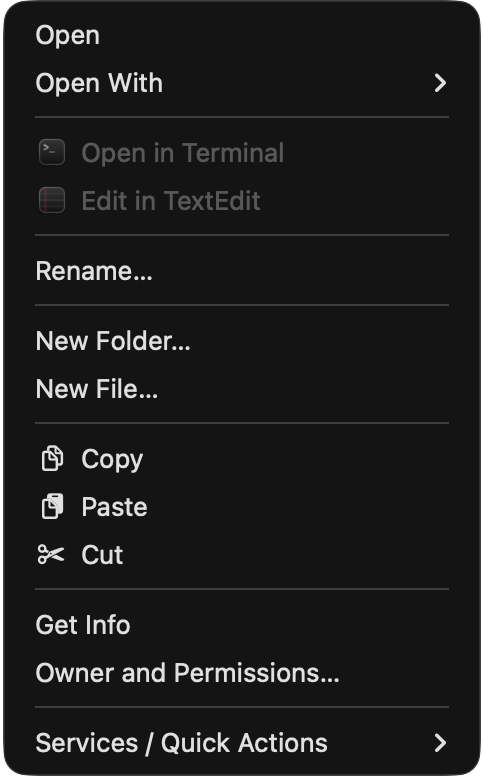
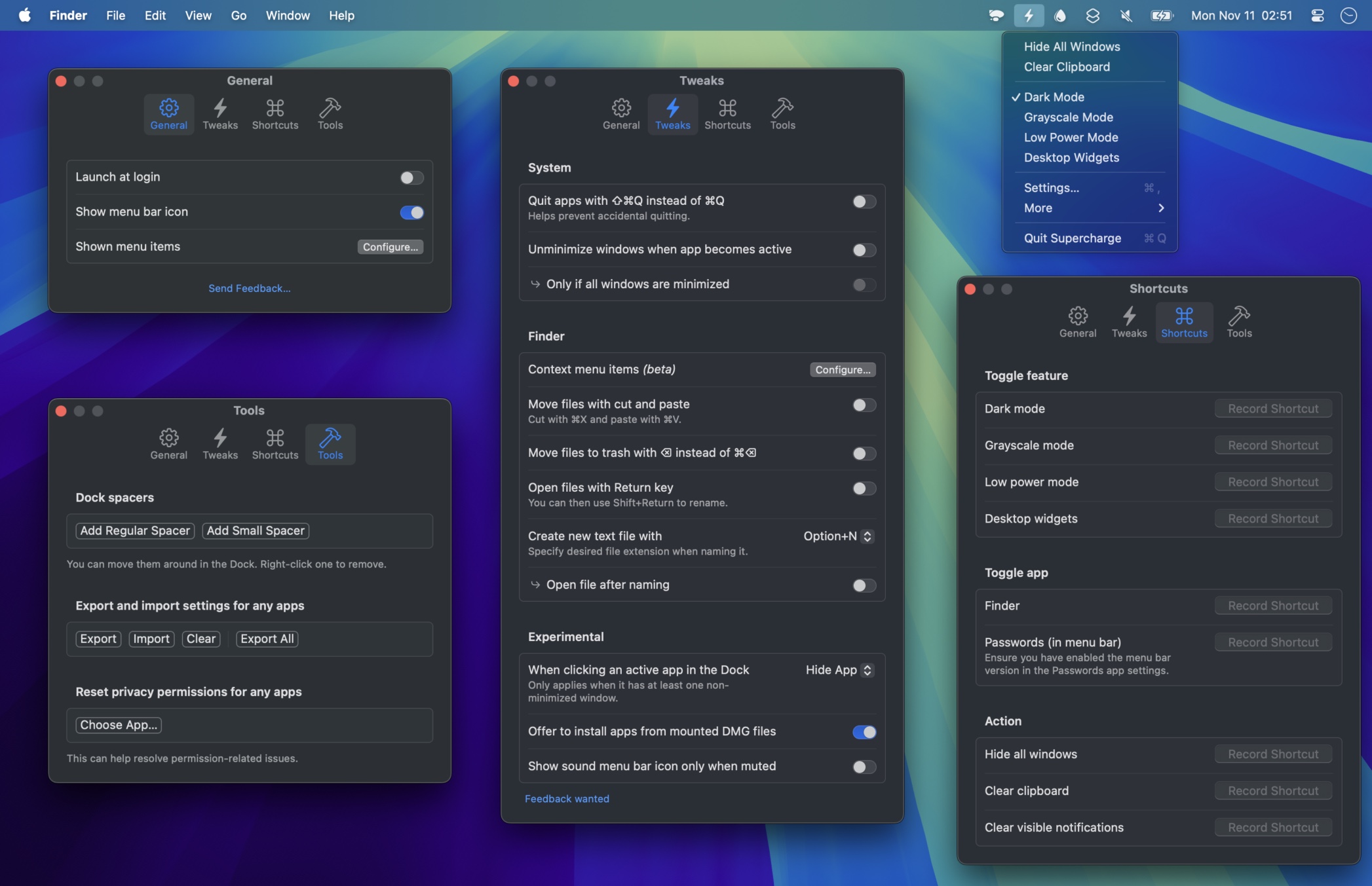
Supercharge takes another route. It is a collection of optional improvements for Finder, Dock, Mission Control, windows, notifications, clipboard, media, and many small macOS behaviors. If you like Finder but want to remove everyday friction, it can be a compelling set of refinements.
What Supercharge improves
Every Supercharge feature is opt-in. In Finder, the app can:
- add Windows-style cut with
Cmd+Xand paste withCmd+V; - open files with Return, rename with
F2, and move to Trash withDelete; - create a new text file or files from templates;
- reopen a closed Finder tab;
- add context-menu commands for paths, Move To, Copy To, terminals, apps, hashes, symbolic links, metadata, and more;
- open sidebar items in a new tab with the middle mouse button;
- resize columns and invert the selection;
- open an alternative file manager from Finder's Dock icon.
Outside Finder, Supercharge changes window and Dock behavior, dismisses
notifications, manages inactive apps, protects against accidental Cmd+Q,
clears the clipboard, controls media, and adds many other refinements. Its
system-wide scope is much broader than Mac Explorer's.
What changes when the file manager owns its window
Supercharge improves Finder within the APIs and behaviors macOS permits. Its documentation describes Finder Sync limitations, including context-menu conflicts in some iCloud, Dropbox, and OneDrive folders. Mac Explorer controls its own interface and can provide a complete, consistent workflow:
- "My Computer" with volumes, storage use, and favorites;
- an address bar that is both breadcrumbs and an editable field;
- consistent selection, navigation history, and drag-and-drop;
- an embedded terminal instead of only "Open in Terminal";
- contextual Git in the sidebar;
- live RegExp filtering for the current directory;
- MIME type,
chmod, owner, group, and a rich Inspector; - custom scripts in the toolbar and context menu;
- asynchronous enumeration, thumbnails, caching, and folder monitoring.
Mac Explorer does not modify Mission Control, Dock, or media keys. Supercharge does not replace the folder view, embed a terminal, or provide repository context. The decision is therefore primarily about scope.
Price, trial, and privacy
Supercharge costs $20 once, includes perpetual updates, and covers unlimited personal devices. Its full trial displays a purchase reminder every 12 hours and disables automatic updates. Mac Explorer costs $9.99 for two devices and includes a 30-day trial.
Mac Explorer explicitly has no account, telemetry, or transmission of file names or contents in its core. Supercharge emphasizes privacy and offers local privacy features, but its product page does not provide an equally detailed telemetry statement. That does not imply negative behavior; the developer's current information remains the source for its practices.
Which one is for you?
Choose Supercharge if you want to keep Finder, tabs, tags, iCloud, and Apple integrations while improving many parts of the entire Mac. Try Mac Explorer if you want a dedicated, predictable Windows-style file manager with an embedded terminal, Git, and automation. The two can coexist: Supercharge for the rest of macOS, Mac Explorer as the main file view.
Comparison table
| Feature | Mac Explorer | Supercharge |
|---|---|---|
| Category | Standalone file manager | Optional macOS and Finder enhancements |
| Price | $9.99 / 2 devices | $20, unlimited personal devices, perpetual updates |
| Requirements | macOS 14+, Apple Silicon | macOS 26+ |
| Trial | 30 days | Full; reminder every 12 hours, no auto-update |
| File view | Dedicated icon and list interface | Keeps Finder's views, tabs, and tags |
| Windows shortcuts | Integral throughout the app | Added selectively to Finder |
| Terminal | Embedded panel | "Open in Terminal" and a global terminal toggle |
| Git | Built-in repository context | "Go to Root" and "Show on GitHub" actions |
| RegExp | Folder filename filter | No equivalent folder view; many prepared Finder actions |
| Technical metadata | MIME type, chmod, owner, group, and rich Inspector | Additional metadata actions in Finder |
| New files and custom actions | Full filename or subpath; arbitrary apps and scripts through GUI or JSONC | New text files, templates, and a curated enhancement catalog |
| System-wide scope | Files and Services integrations | Finder, Dock, Mission Control, windows, media, notifications, and more |
| Privacy | Explicitly no core account or telemetry | Privacy emphasized; details in current product information |
| Best for | Replacing the everyday file view | Keeping Finder while improving many macOS behaviors |