Mac Explorer vs Marta — two lightweight native tools for power users
Marta is a keyboard-first dual-pane manager with Lua plugins, rich archive support, and an embedded terminal. Mac Explorer is a single-pane Windows File Explorer successor with built-in Git, RegExp filtering, and a low configuration barrier.
Mac Explorer combines the simplicity of one pane with features for people who expect more from a file manager than copying and renaming. Windows shortcuts and an editable address bar shorten the learning curve, while terminal, Git, RegExp, Inspector, and custom actions shorten everyday work. Native AppKit, lazy loading, and no telemetry follow the same philosophy: the app should be fast, local, and predictable.
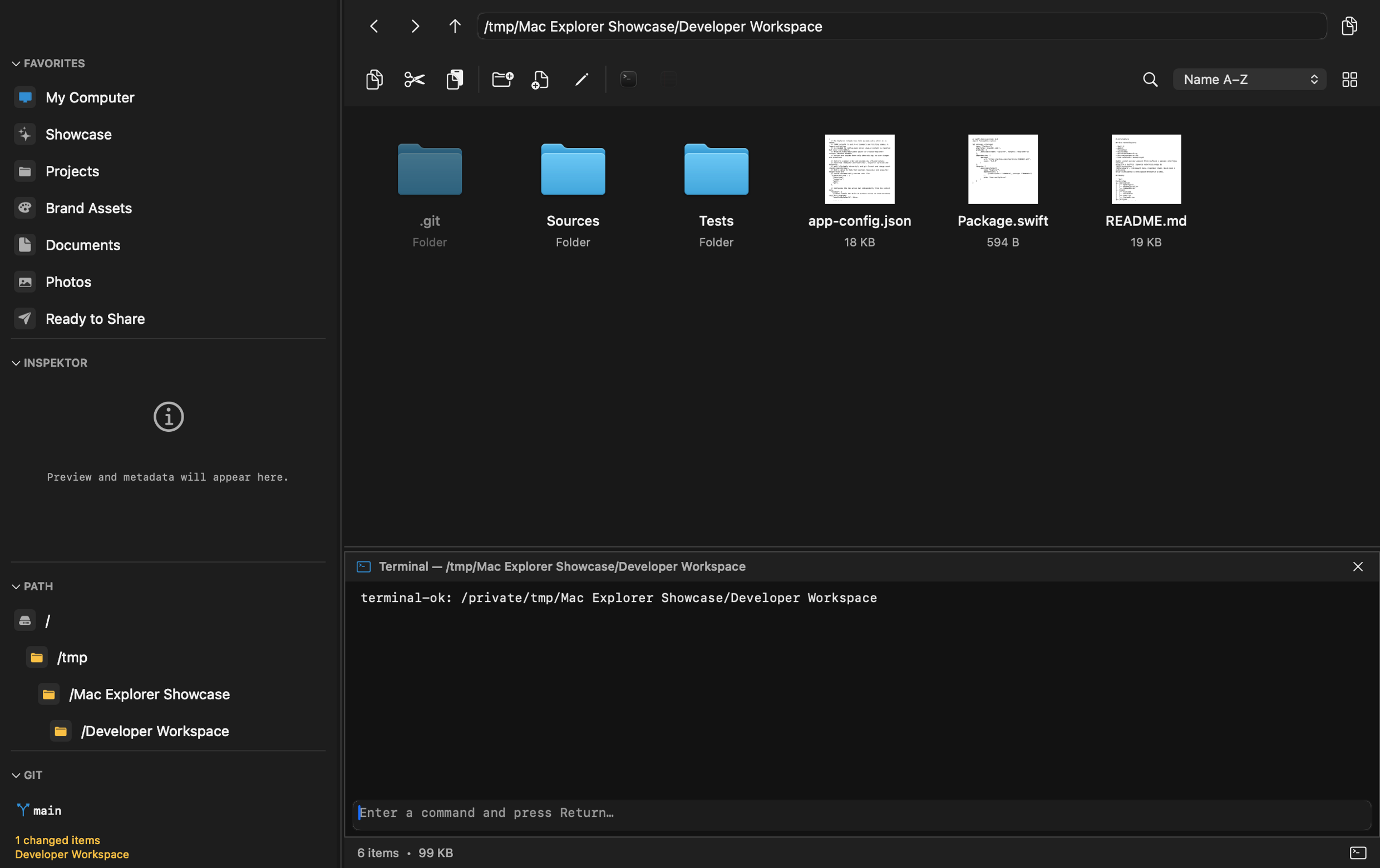
Marta shares several values with Mac Explorer: native technology, speed, privacy, and extensibility. Their interface traditions differ. Marta is a minimal, keyboard-first dual-pane manager; Mac Explorer is a single-pane successor to Windows File Explorer.
Why Marta is interesting
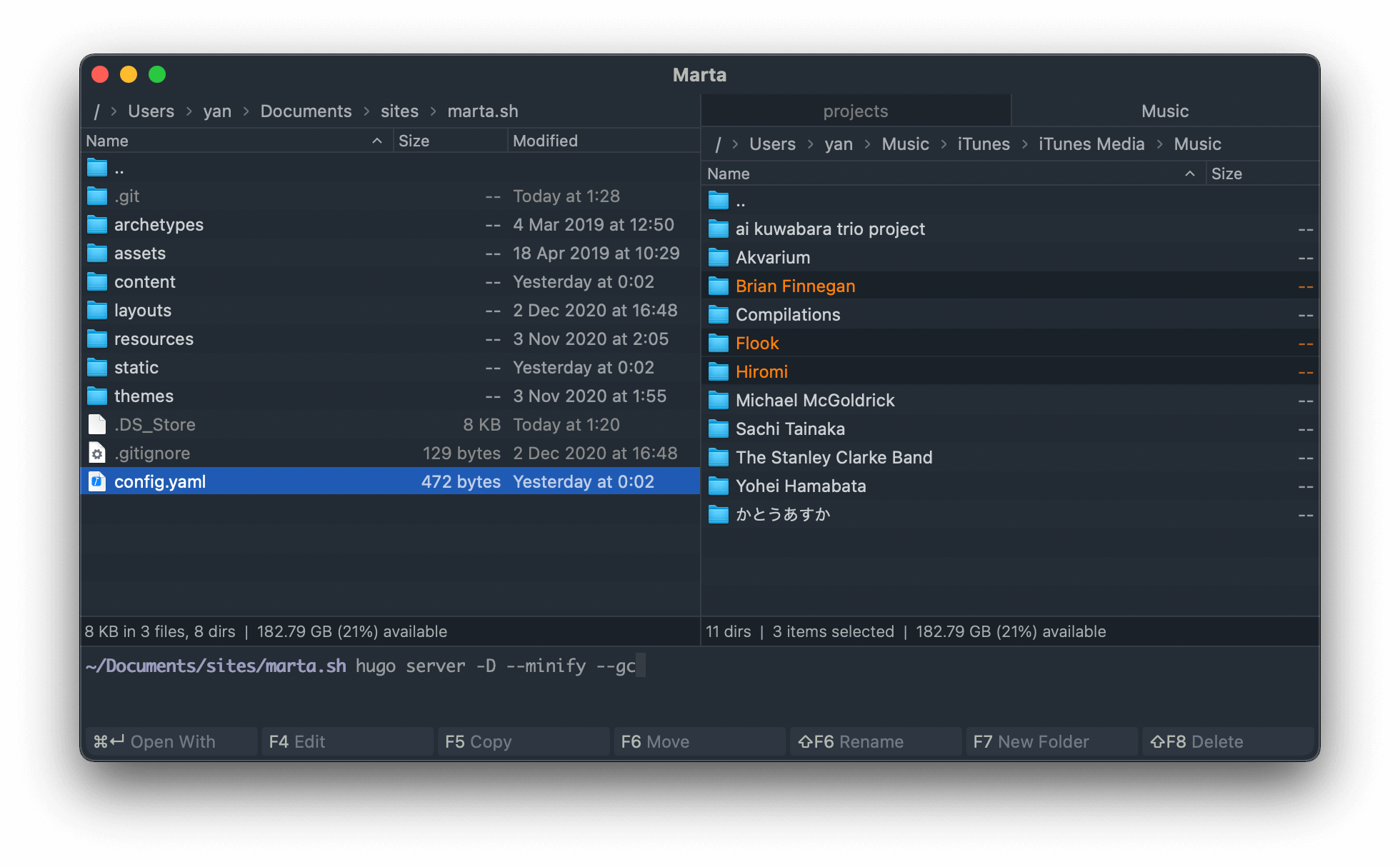
Marta is written in Swift and designed specifically for macOS. Two panes show
the source and destination, Tab switches the active pane, and configurable
shortcuts make nearly the entire app usable without a mouse. File operations
enter a queue that can be controlled, paused, and resumed.
Archives behave like folders. Marta writes ZIP and opens RAR, 7Z, XAR, TAR, ISO, CAB, LZH, and many other formats, including nested archives. It also has system previews, global Look Up search, disk-usage analysis, folder flattening, multiple windows and tabs, and a terminal with two-way directory syncing.
Marta is highly extensible. A text-based DSL configures behavior, shortcuts,
columns, and five built-in themes, while a Lua API enables plugins. The Actions
panel (Cmd+Shift+P) runs any action, and Quick Search accepts either a
filename fragment or a regular expression. Its official site explicitly says
that Marta does not collect or sell data.
Where Mac Explorer takes another route
Mac Explorer is not a classic commander. One pane, icon and list views, "My
Computer," a clickable and editable address bar, and Enter, Backspace,
Delete, and F2 recreate ordinary Windows File Explorer rather than Norton
or Total Commander.
Compared with Marta, several capabilities are more visible in the interface:
- Git appears automatically inside a repository with branch, status, and branch switching;
- detailed list view exposes MIME type,
chmod, owner, and group; - the Inspector shows rich metadata for images, PDFs, and documents;
- scripts can be added through the GUI or JSONC to the toolbar and context menu, with type and RegExp filters;
- text configuration preserves comments, but the complete public schema is also editable through native settings;
- macOS Quick Actions and Services appear in the menu, and "Open in Mac Explorer" provides a direct route from Finder.
Marta has a richer archive engine, genuine dual-pane browsing, Lua plugins, and disk analysis. Mac Explorer has a more approachable model for Windows switchers, explicit Git context, and a lower configuration barrier.
Performance, stability, and privacy
Both projects treat performance as architecture. Marta describes lightweight file representations, loading only required data, and keeping file operations off the UI thread. Mac Explorer uses incremental directory enumeration, bounded LRU and TTL caches, lazy thumbnails and terminal startup, FSEvents instead of polling, and generation guards against stale results.
There is no shared benchmark from which to declare a winner. Mac Explorer
publishes a measurement of 284.21 ms from main() to its first window on an M4
Max. Marta positions itself as native and fast but does not publish a directly
comparable number on its site.
The products are close on privacy. Marta declares that it neither collects nor sells data; Mac Explorer has no account, telemetry, or networking layer in its core. User-installed plugins and scripts can of course use the network when explicitly configured to do so.
Which one is for you?
Marta is a good fit for fans of dual-pane browsing, keyboard control, archives, and Lua who are comfortable with beta software. Mac Explorer better suits a Windows File Explorer user who wants native settings, Git for the current project, and a simple single pane. If you value a shorter learning curve, technical information within reach, and a ready-made workflow without learning a DSL, start with Mac Explorer.
Comparison table
| Feature | Mac Explorer | Marta 0.8.2 |
|---|---|---|
| Model | One pane, Windows File Explorer | Two panes, keyboard-first commander |
| Status and price | Released product, $9.99 / 2 devices, perpetual license | Beta, currently free; perpetual license announced for 1.0 |
| Windows interaction model | Yes, by default | No; keyboard-first dual-pane model |
| Terminal | Embedded, follows the folder | Embedded, with two-way synchronization |
| Git | Built-in contextual section | Possible through actions or plugins, not a central feature |
| RegExp | Folder filename filter | Quick Search with substring or RegExp |
| Technical metadata | MIME type, chmod, owner, group, and document Inspector | Configurable columns and system preview |
| Extensibility | Apps and scripts in toolbar and context menu, GUI plus JSONC | Lua plugins and text DSL |
| Configuration barrier | Complete public schema in the GUI; JSONC is optional | Extensive capabilities through DSL and Lua |
| Privacy | No core account or telemetry | Explicitly no data collection or sale |
| Dual-pane, tabs, and archives | One pane without tabs; archives through actions and system tools | Two panes, windows, tabs, and rich archive support |
| Best for | Windows switchers, Git, and local automation | Fans of dual-pane browsing, keyboard control, archives, and plugins |