Mac Explorer and Raycast — better together
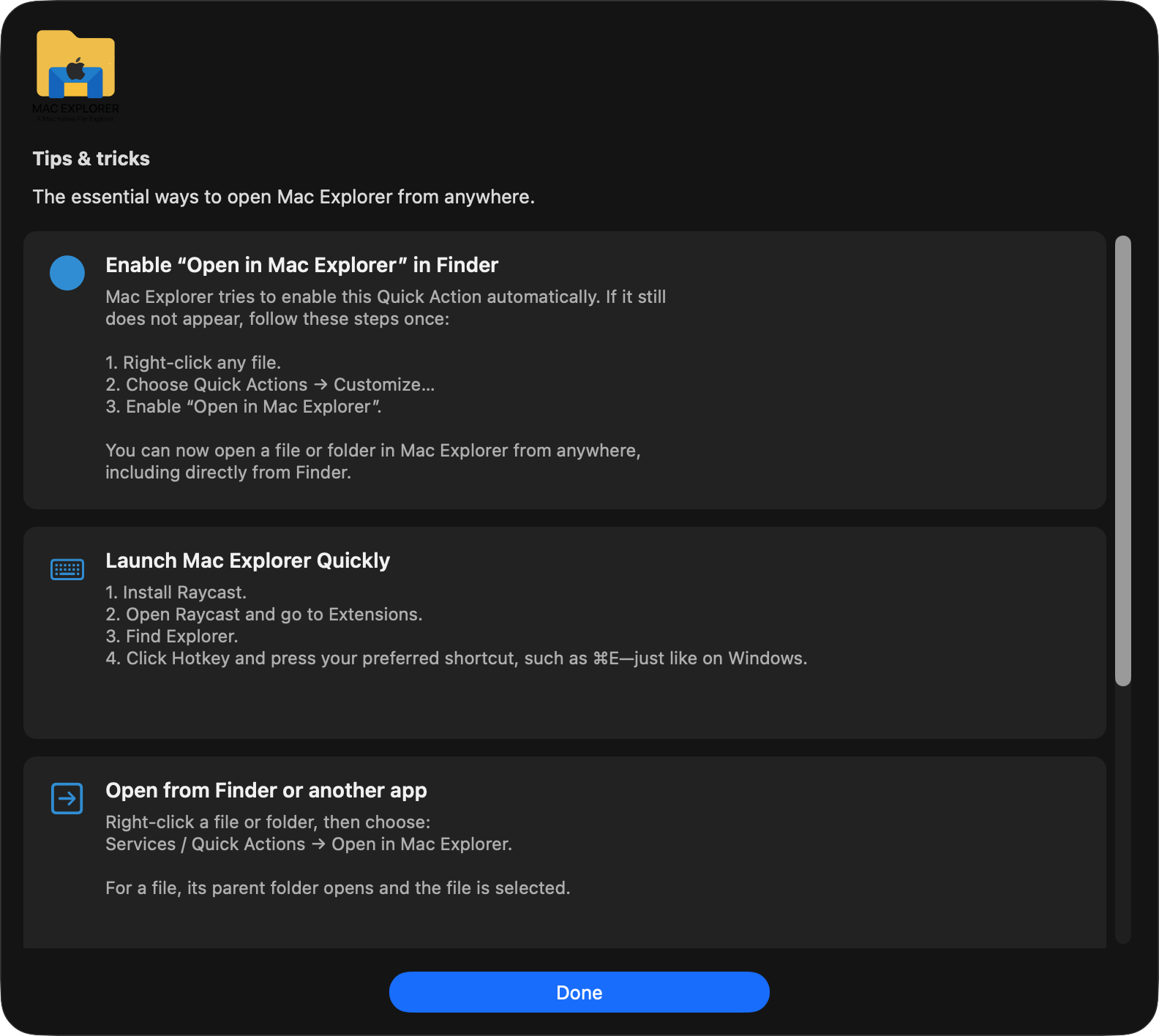
Raycast is the best way to launch Mac Explorer with a global shortcut. Mac Explorer then provides the full folder context for everything that follows: navigation, terminal, Git, and automation.
Mac Explorer is where you work with a folder: browse it, select and copy files,
filter names with RegExp, open a terminal, inspect Git, and run custom actions.
You can launch it with a global Cmd+E shortcut, giving the familiar Windows
Win+E gesture a natural equivalent on Mac. This is where integration with
Raycast becomes especially useful.
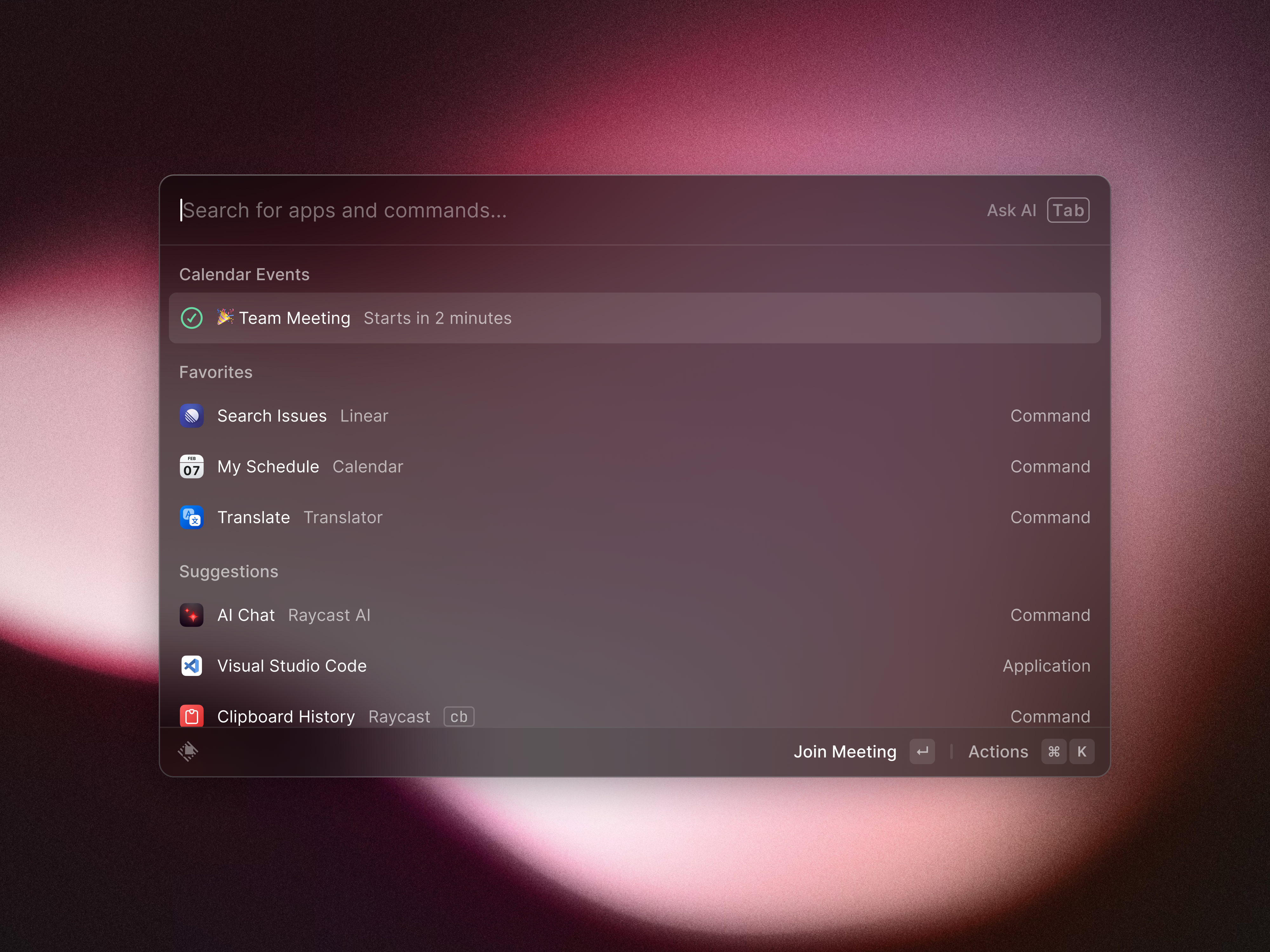
Raycast is a keyboard-driven productivity layer. It launches apps, finds files and commands, manages windows and clipboard history, stores snippets and notes, and runs thousands of extensions. It gets you to the right place quickly; Mac Explorer provides the full context and tools for what comes next. The two products complement each other exceptionally well.
What Raycast brings to the workflow
One global shortcut opens Raycast's search for apps, files, Quicklinks, and commands. File Search uses Spotlight indexes and lets you configure directories, hidden files, and ignore patterns. A result can be opened, revealed in a file manager, or passed to another action.
Raycast's strength is breadth: Clipboard History, calculator, snippets, window management, calendar, notes, Script Commands, and a large extension ecosystem. Pro adds AI, Cloud Sync, custom themes, translation, and richer Notes. Core features, File Search, and public extensions remain free.
How Raycast integrates with Mac Explorer
Add Mac Explorer to Raycast's application scope, find it, open its action menu
with Cmd+K, and assign a global shortcut such as Cmd+E. Raycast v2 also
recognizes symlinked apps, which is useful during development.
Raycast then becomes the fast entry point, while Mac Explorer becomes the workspace for the folder itself. The separate "Open in Mac Explorer" Quick Action also opens the app from Finder and other Services menus. Neither path requires a dedicated Raycast extension or uploading a list of files to an external service.
What Mac Explorer does after opening
Raycast is excellent at finding one file or launching an action. Mac Explorer takes over when you need to browse continuously, select many items, or manage the contents of an entire folder. It provides:
- icon and detailed list views;
- Windows-style navigation, history, an address bar, and "My Computer";
- copy, move, Trash, drag-and-drop, undo, and redo;
- RegExp filtering for the current folder;
- an embedded terminal and contextual Git section;
- an Inspector and technical metadata;
- custom actions for the selection or current folder.
Raycast answers "what do I want to find or launch?" Mac Explorer answers "what do I want to do with this folder and its contents?"
Price and privacy
The free Raycast edition is enough for this integration. Pro costs $10 per month or $8 per month when billed annually and includes cloud and AI features. AI can be disabled, but it is not sold separately from Pro. Mac Explorer costs less than one month of Raycast Pro as a one-time $9.99 purchase, although the products cover very different needs.
Mac Explorer works locally without an account or core telemetry. Raycast also emphasizes privacy, but its account, cloud, and AI services necessarily have a broader data model. Its policy covers automatically collected product data, analytics, Cloud Sync, and prompts, files, or context sent to the selected AI provider when the user invokes AI. Raycast states that it does not sell data or share it for behavioral advertising. Local File Search should not be confused with optional AI or synchronization.
Which one is for you?
Raycast is for anyone who wants to launch commands and connect tools instantly. Mac Explorer is for people who want to continue working inside the folder they found. Our recommendation is simple: use both. A Raycast shortcut that opens Mac Explorer is one of the most natural integrations in the product.
Comparison table
| Feature | Mac Explorer | Raycast |
|---|---|---|
| Category | File manager | Launcher and productivity layer |
| Price | $9.99 one-time / 2 devices | Core free; Pro $10/month or $8/month annually |
| Working with folders | Full views, multi-selection, operations, and history | Finds an item quickly and passes it to an action |
| Navigation | Windows shortcuts, editable address bar, history, and "My Computer" | Global command and search interface |
| File search | Current-directory filter with optional RegExp | Global Spotlight-based File Search |
| Terminal and Git | Built into the folder context | Can launch commands and extensions, but is not a repository view |
| Technical metadata | MIME type, chmod, owner, group, and rich Inspector | Extension results and actions without this directory-column model |
| Automation | Local scripts and apps for files and folders, toolbar and context menu | Script Commands and thousands of service extensions |
| Integration | Can receive a global Raycast shortcut | Opens Mac Explorer under a shortcut such as Cmd+E |
| Account and network | No core account or telemetry | Account, analytics, and optional cloud and AI services under its policy |
| Best for | Continuous work with folder contents | Finding and launching almost anything quickly |
| Recommendation | Use together with Raycast | Use together with Mac Explorer |